Financing products

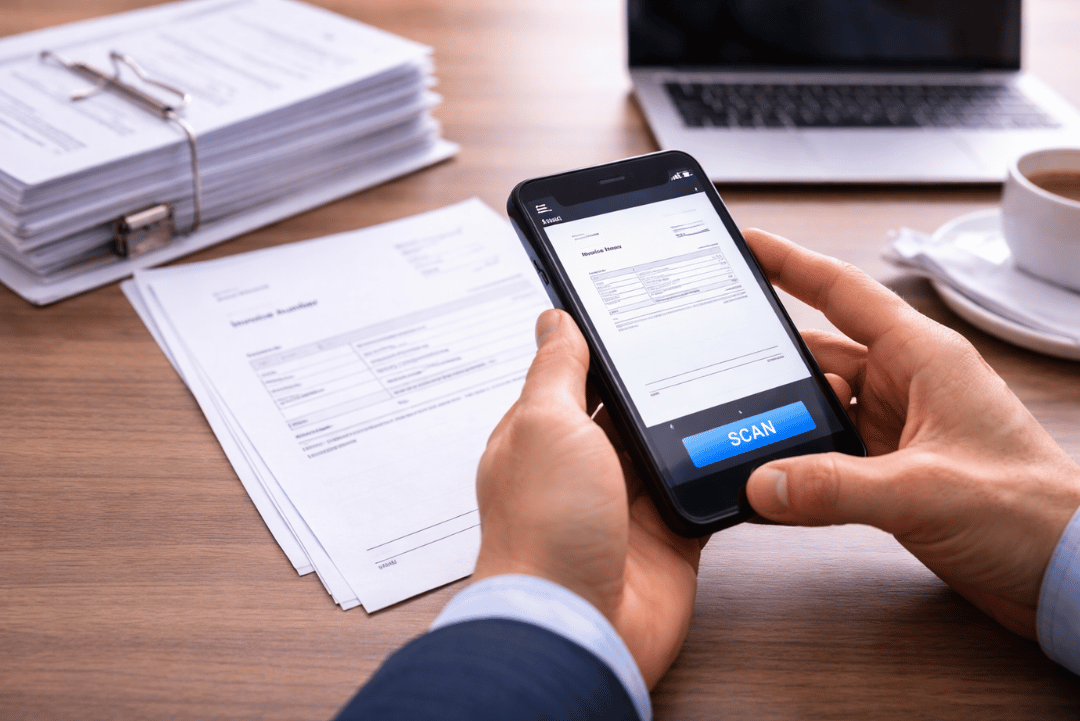
Manually typing invoice data feels like a small task until you add it up across weeks and months. In most businesses it is not one invoice a day - it is dozens or hundreds of documents that need to be entered, checked, matched with a payment, sometimes coded for accounting, and passed on for approval. That is why OCR and invoicing automation should not be treated as “just another tool”, but as a practical way to regain working hours and bring order to the document workflow.
In this article, we calculate the real cost of manual invoice data entry, show a simple way to estimate ROI, and explain why the impact is not just about time, but also errors, delays, and context switching. If you want to start with the basics, begin with our guide explaining what OCR is in invoicing, then read how to choose OCR software. Here, the focus is on numbers and profitability.
How much does manual invoice data entry cost?
Manual invoice handling rarely means typing in totals only. In practice, someone usually has to verify key details, fill missing fields, make sure dates match, and often assign cost categories or link the invoice to a project. Even with an experienced team, this requires focus - and at higher volumes, the risk of mistakes naturally increases.
Instead of assuming one “perfect” time per invoice, it is more realistic to work with ranges. A simple expense invoice can take 2 to 4 minutes. Invoices with many line items or unusual layouts often fall into 5 to 8 minutes. If you add coding, descriptions, or work across multiple systems, the time goes up again. The point is simple - the difference between 3 and 6 minutes per invoice feels small, but over a year it turns into a major gap in hours and cost.
OCR and invoicing automation - what actually saves time?
OCR software reads text on an invoice and transfers it into structured fields. In practice, that is only the first step. The real time savings come from process automation - moving from “typing” to “verifying”. In a well designed workflow, the invoice enters the system, data is extracted, and a person confirms accuracy, approves it, and sends it forward. That is the difference between OCR, which captures data, and invoice automation, which organizes the whole flow - from intake to approval and downstream processing.
This matters for ROI. Automation rarely removes 100% of work, because there will always be exceptions, unusual invoices, and controls. That is why it is better to calculate savings as a percentage reduction in time - most often around 50% to 80%, depending on document quality and workflow maturity.
Cost and ROI calculator - a quick estimate in 3 steps
To calculate the cost of manual invoice entry, you need four numbers: monthly invoice volume, average time per invoice, hourly employment cost, and the percentage of time that automation realistically saves.
- N - number of invoices per month
- T - average manual entry time per invoice (minutes)
- H - hourly employment cost for the employer (per hour)
- S - realistic time savings rate after automation (for example, 0.60 for 60%)
Step 1 - calculate annual hours
Annual hours spent on manual entry:
- annual hours = (N x T / 60) x 12
This shows how many hours per year are used only for entering invoice data.
Step 2 - convert time into cost
Annual cost of manual entry:
- annual cost = annual hours x H
This is the labor cost of manual data entry alone.
Step 3 - calculate savings and ROI
Annual savings after OCR and automation:
- annual savings = annual cost x S
ROI for the tool:
- ROI = (annual savings - annual tool cost) / annual tool cost
In practice, automation does not eliminate 100% of work, because some time remains for checks and exceptions. That is why it is safer to use S in the 0.50-0.80 range and calculate two scenarios - conservative and optimistic.
Three scenarios that show the scale
To see how manual work costs grow, here are three simple scenarios.
In a small business with 150 invoices per month, 6 minutes per invoice, and an hourly cost of 70, the result is around 180 hours per year. That translates into 12,600 in labor cost. If automation removes 60% of that time, the annual saving is 7,560. In smaller teams, the biggest win is often operational calm and regained hours that can be spent on work that moves the business forward.
In a growing business with 600 invoices per month, 5 minutes per invoice, and an hourly cost of 90, you get 600 hours per year - about 54,000 in manual entry cost. With 70% time savings, automation delivers 37,800 in annual savings. At this point, the impact becomes very tangible - hundreds of hours no longer block the team.
At higher volume, for example 2,000 invoices per month and 4 minutes per invoice, annual hours reach roughly 1,600. With an hourly cost of 110, that is 176,000 in manual entry cost. With 75% time savings, the annual saving is about 132,000. At this scale, automation is not only a cost question - it becomes a capacity question, enabling the team to handle growth without adding headcount.
The hidden costs of manual data entry
In practice, manual entry is not only time. Mistakes and their consequences cost money too - corrections, clarifications with suppliers, and rework in accounting. Delays cost time as well - invoices sit “in the queue” before someone enters them, then wait again for approval, and payments slip. Context switching adds another layer, because this type of work is easy to interrupt, and every interruption means a few minutes to regain focus.
These costs are hard to assign to a single invoice, but across a month they can consume more time than the entry task itself.
When OCR will not deliver a big impact immediately
Invoice automation rarely works perfectly on day one, because in many companies the limiting factor is not the technology - it is the quality of input and the way documents move through the organization. OCR can remove repetitive typing, but only when invoices can be read reliably and the workflow is clear.
Document quality is inconsistent
The most common obstacle is document quality. If invoices arrive as phone photos in poor lighting, with cut edges, or in low resolution, extraction becomes less reliable and users spend time fixing fields. In practice, a few basic rules make a big difference - better scans, full pages, readable contrast, and one file per document. The more consistent the input, the less “manual work after OCR”.
Too many exceptions and non standard documents
A second reason is a high number of exceptions. If invoices vary widely, include unusual fields, come in different languages and layouts, or often miss key information, automation will still help, but more as a support tool than a near touchless process. This does not mean OCR is not worth it. It usually means separating common cases where automation delivers the biggest return, and handling exceptions through a dedicated path.
Unclear ownership and approval process
The third friction point is unclear ownership and process. Even the best OCR will not help if documents “circle” through email, approvals happen in spreadsheets, someone enters data somewhere else, and the team still has to retype information into multiple tools. In that setup, automation exists technically, but there is no organizational space for the savings to appear.
Lack of integration creates double work
The fourth barrier is integration - or lack of it. If extracted data does not flow to the place where it is ultimately needed, teams end up copying again. A common scenario is OCR reads the invoice, but someone still pastes the same values into accounting, ERP, or payment tools. In that case, savings are smaller because automation stops halfway.
What to do so automation starts working fast
The conclusion is simple - OCR delivers the biggest impact when input is consistent, documents are reasonably repeatable, and the workflow is clear.
To make automation work fast, three elements matter most:
- one place where invoices arrive and are processed (instead of several parallel channels)
- a clear workflow: who enters, who approves, what counts as an exception, and what happens to the data next
- minimum document quality standards and a structured approach to exceptions
These are not “perfect world” requirements. They are the basics that determine whether automation truly recovers time, or only changes typing into correcting.
Summary - how much time and money can you regain with OCR?
Manual invoice entry looks like a minor task, but over a year it can turn into hundreds of hours of repetitive work. This cost increases linearly with invoice volume and often becomes a hidden growth barrier - to handle more invoices, teams either add headcount or accept delays.
OCR and invoicing automation are not “magic”. They shift work from typing to verification. When data is extracted automatically, teams regain time, reduce mistakes, and speed up document flow. The strongest ROI appears when workflows are clear, documents are readable, and data does not need to be copied across multiple tools.